

Visual Project Management Powered by Your GitHub Activity
Kojit is the AI-powered project management tool that automatically transforms your commits, PRs, and releases into a visual and interactive roadmap. Built for developers.
Why developers need a better project management tool
Fragmented workflows
Your code lives on GitHub, but your roadmap is on another tool you have to maintain manually.
No big picture
Releases and milestones never surface in the macro view. Nobody really knows where the product stands.
Tools built for PMs, not devs
Existing PM tools are built for project managers, not developers who think in commits and pull requests.
Whiteboards go nowhere
Whiteboards are great for brainstorming but connect to nothing — idea graveyards with no link to execution.
Everything you need to ship — visual project management meets AI
From visual planning to AI-powered commit analysis, all in one developer-friendly workspace.
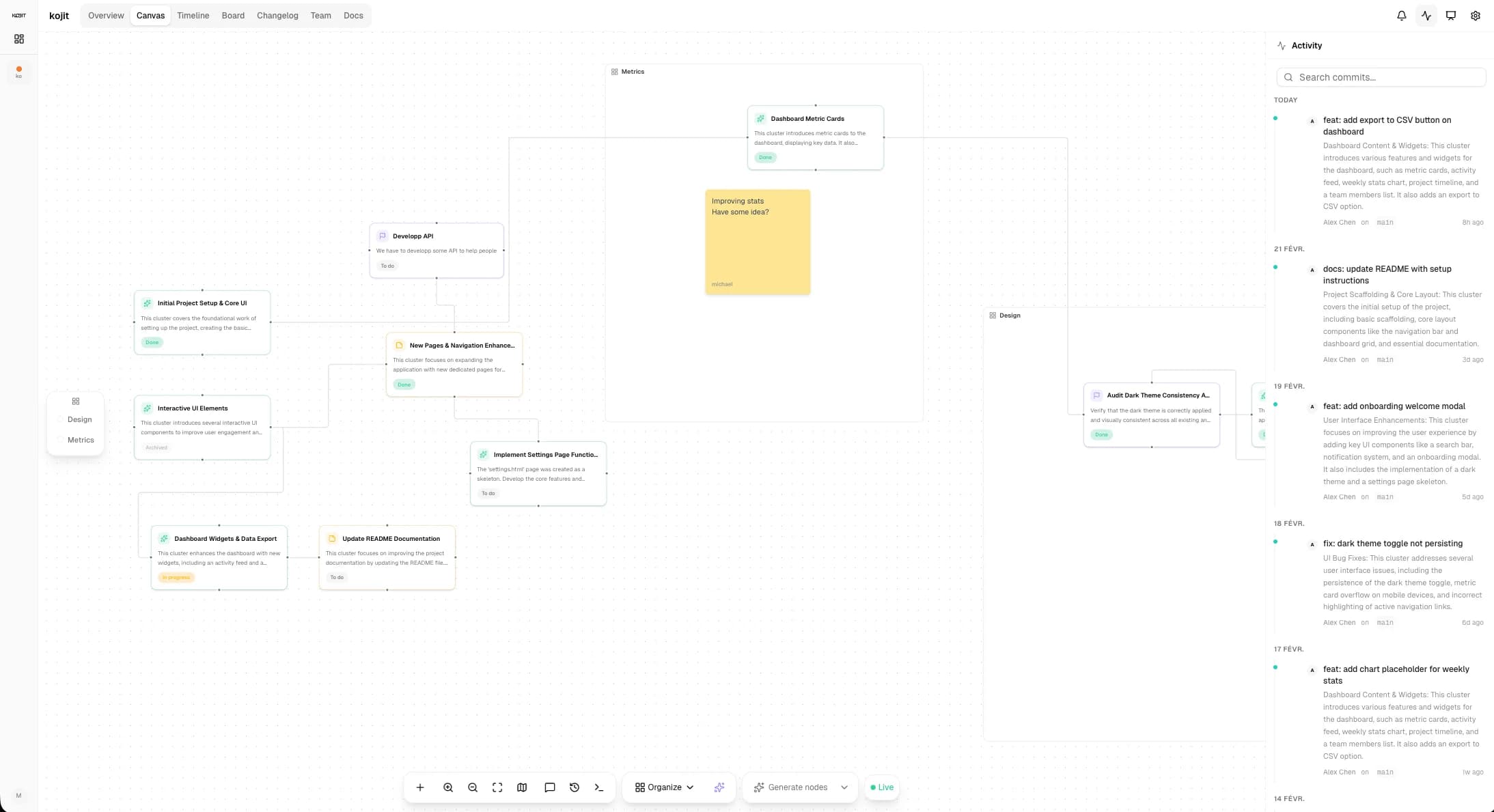
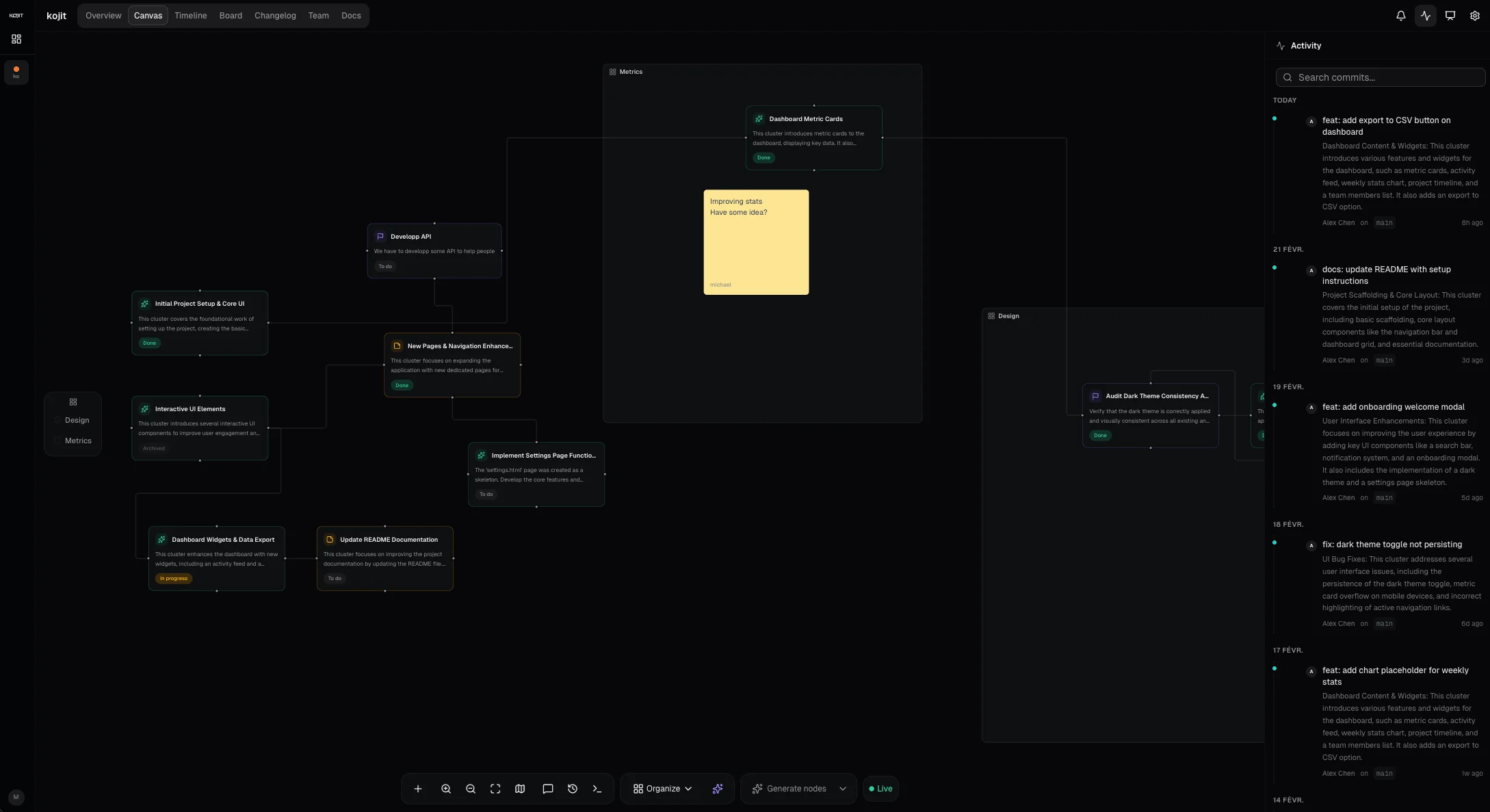
Visual Canvas
An infinite FigJam-style workspace. Create sections, sticky notes, text blocks, and connect nodes with arrows. Drag commits from your activity feed straight onto the canvas.
7 built-in views
Overview, Canvas, Timeline, Kanban, Changelog, Team, and Docs — switch context in one click, always in sync.
Native GitHub Project Management Integration
Install the Kojit GitHub App, link your repository, and every push, release, and PR appears in real time. No manual sync, ever.
AI-Powered Project Intelligence
7 AI actions for writing, analysis, and organization — from AI release synthesis to smart canvas layout to docs assistance.
Built-in Docs
A powerful block editor with slash commands, headings, tables, embeds, callouts, toggles, code blocks, and an AI writing assistant — all connected to your project data.
Realtime Collaboration
Live cursors, online presence indicators, and Figma-style canvas comments. Your whole team, on the same page.
Smart Canvas Tools
Node dependencies with blocking, approval workflows, canvas history with snapshots, and AI prompt generation from any node or section.
Command Palette
Power-user keyboard shortcuts and a global command palette to navigate, create, and act without lifting your hands.
From commit to canvas in seconds
Drag any commit from your activity feed onto the canvas to instantly create a node. Add context, connect dependencies, and keep your roadmap in sync — without leaving your workflow.
Docs that write themselves from your code
One click populates your doc with development updates straight from your commits and releases. Drag and drop commits to add context on the fly. Slash commands, tables, embeds, toggles, callouts, code blocks — everything you expect from a modern editor, wired directly to your project.
- Slash commands for any block type
- AI writing assistant to draft, summarize, or continue
- One-click import of project updates
- Drag commits into docs for instant context
- Tables, embeds, toggles, callouts, code blocks
- Version history with instant restore
How it works
Connect GitHub
Install the Kojit App and link your repository in one click.
Visualize automatically
AI transforms your commits, releases, and PRs into visual canvas nodes.
Collaborate & ship
Use Kanban, docs, timeline — everything stays in sync with your code.
How Kojit compares
See why developers choose Kojit over traditional project management tools.
| Feature | Kojit | Linear | GitHub Projects | Notion | Jira |
|---|---|---|---|---|---|
| Visual canvas (FigJam-style) | |||||
| AI commit analysis | |||||
| GitHub real-time sync | |||||
| Built-in docs editor | |||||
| Auto-generated roadmap | |||||
| Kanban + Timeline | |||||
| Real-time collaboration | |||||
| Free plan |
Simple, transparent pricing
Start free. Upgrade when you need more power.
Yearly: Save up to 25%
Free
- 3 projects
- 3 GitHub repos
- Solo (1 member)
- Editable canvas
- Canvas & Kanban views
- 5 docs per project
- 100 MB storage
- AI: generate project overview
- AI: commit-to-canvas, auto-layout, docs & more
- Public changelog
- Community support
Pro
7€/mo yearly
- Unlimited projects
- 15 GitHub repos
- Up to 5 members
- Editable canvas
- All views (Timeline, Kanban, Changelog)
- Unlimited docs + templates + history
- 5 GB storage
- All AI features (7 actions)
- 5 AI canvas layouts/month
- Public changelog
- Email support
Team
12€/user/mo yearly
- Unlimited projects
- Unlimited GitHub repos
- Unlimited members
- Canvas + realtime cursors
- All views (Timeline, Kanban, Changelog)
- Unlimited docs + realtime collaboration
- 50 GB storage
- All AI features, unlimited
- 20 AI canvas layouts/month
- Deep node analysis
- Roles & invitations
- SSO (coming soon)
- Priority support